
Everything a queue needs
What happens at the door, in the waiting room and at the counter, and what the app keeps for you after.
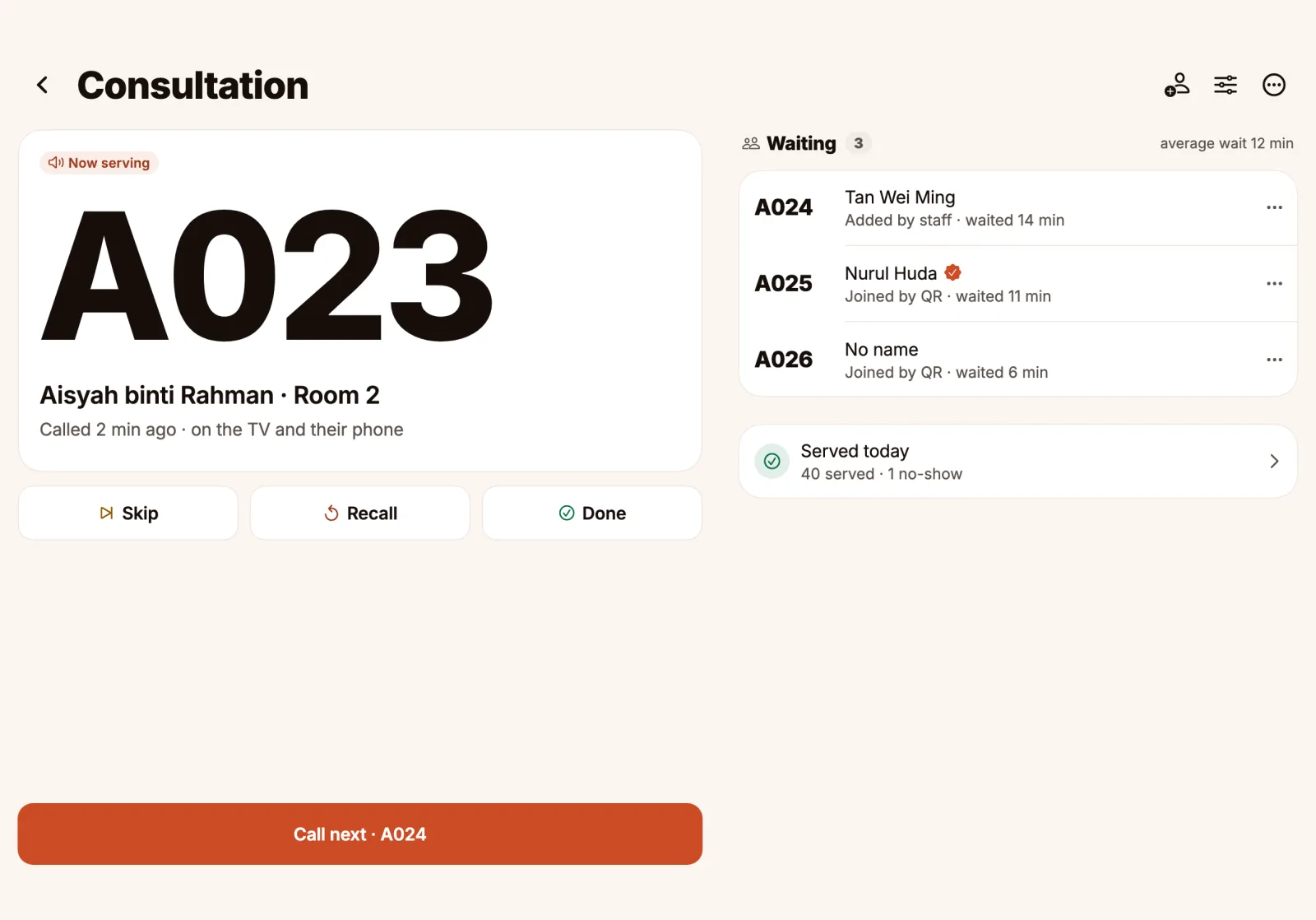
Screens on this page show sample data.
At the door
Print the poster from the app and put it where customers walk in. They scan it with the phone camera and get a number.
- No app to install and no account
- One poster for each queue, or one for all of them
- Pro can ask for a phone confirmed by SMS

While they wait
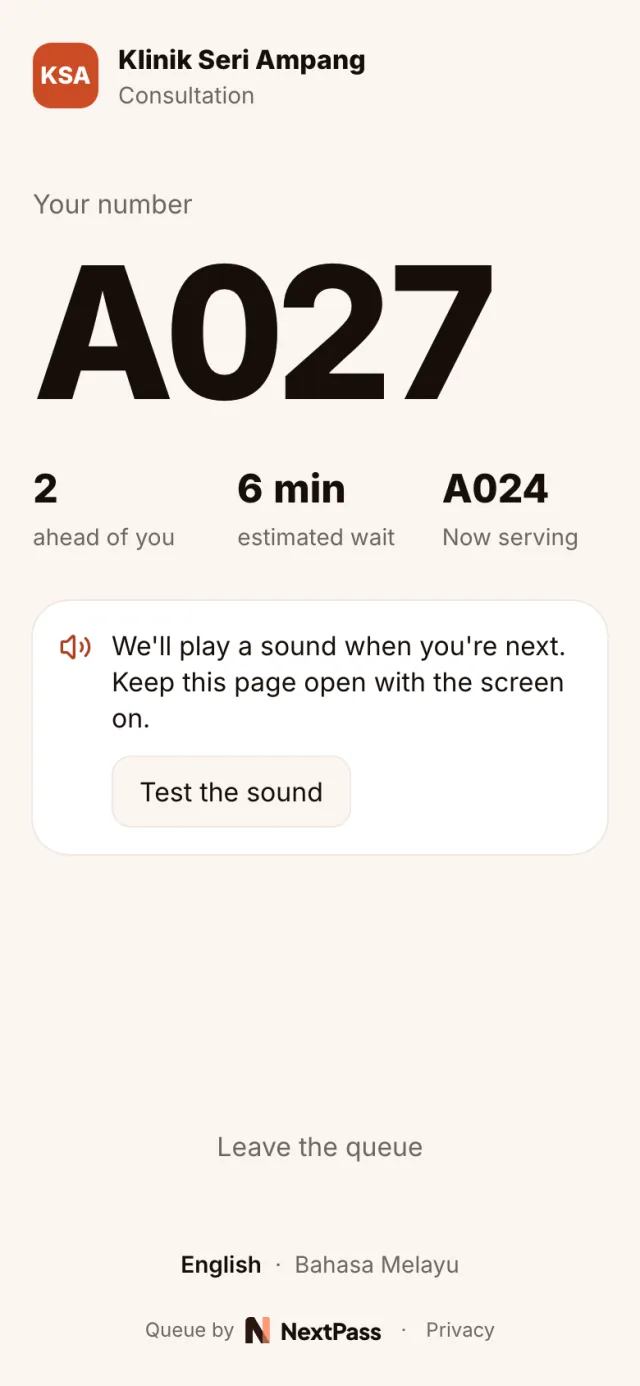
The live page shows their number, how many are ahead and about how long it will be. It chimes when they are next and again when they are called.
- English or Bahasa Melayu, chosen by the customer
- Works in the phone’s own browser
- They can leave the queue from the page
At the counter
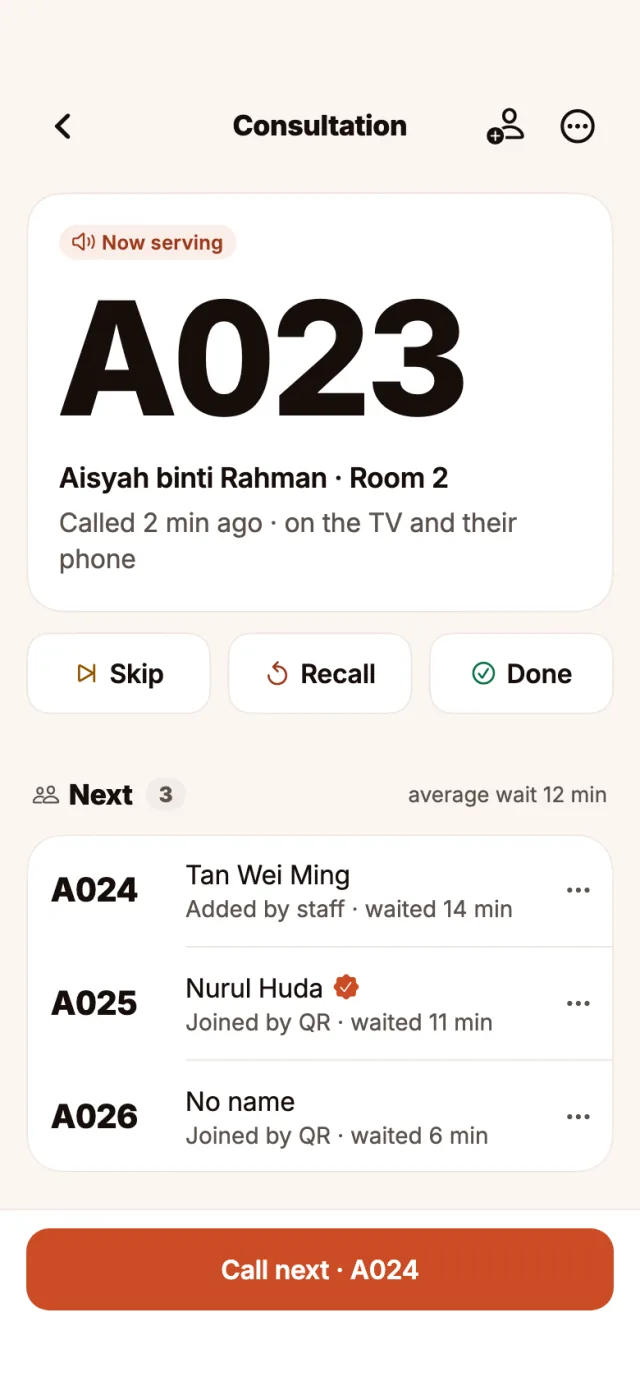
The number now serving is the biggest thing on the screen, with Call next under your thumb. Skip, Recall and Done sit right under the number.
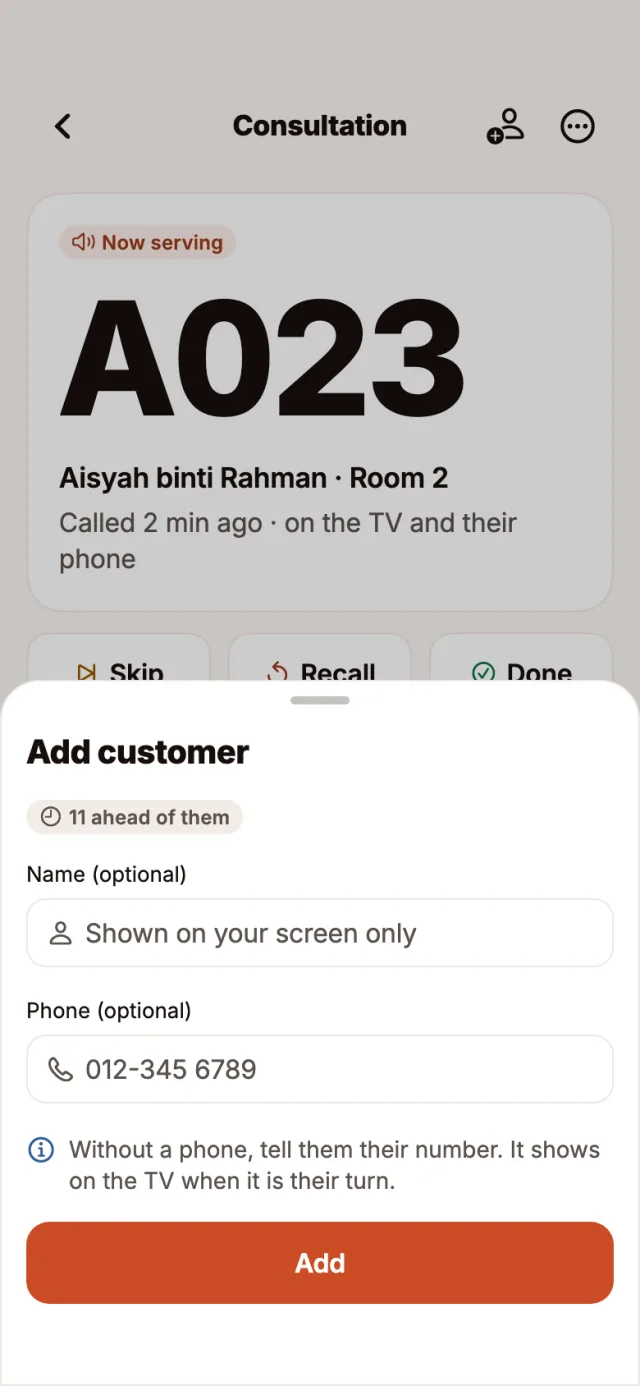
- Add walk-ins with an optional name and phone
- Rooms and counters, so the TV says where to go
- Phone, tablet, or the web dashboard at a desk
On the TV
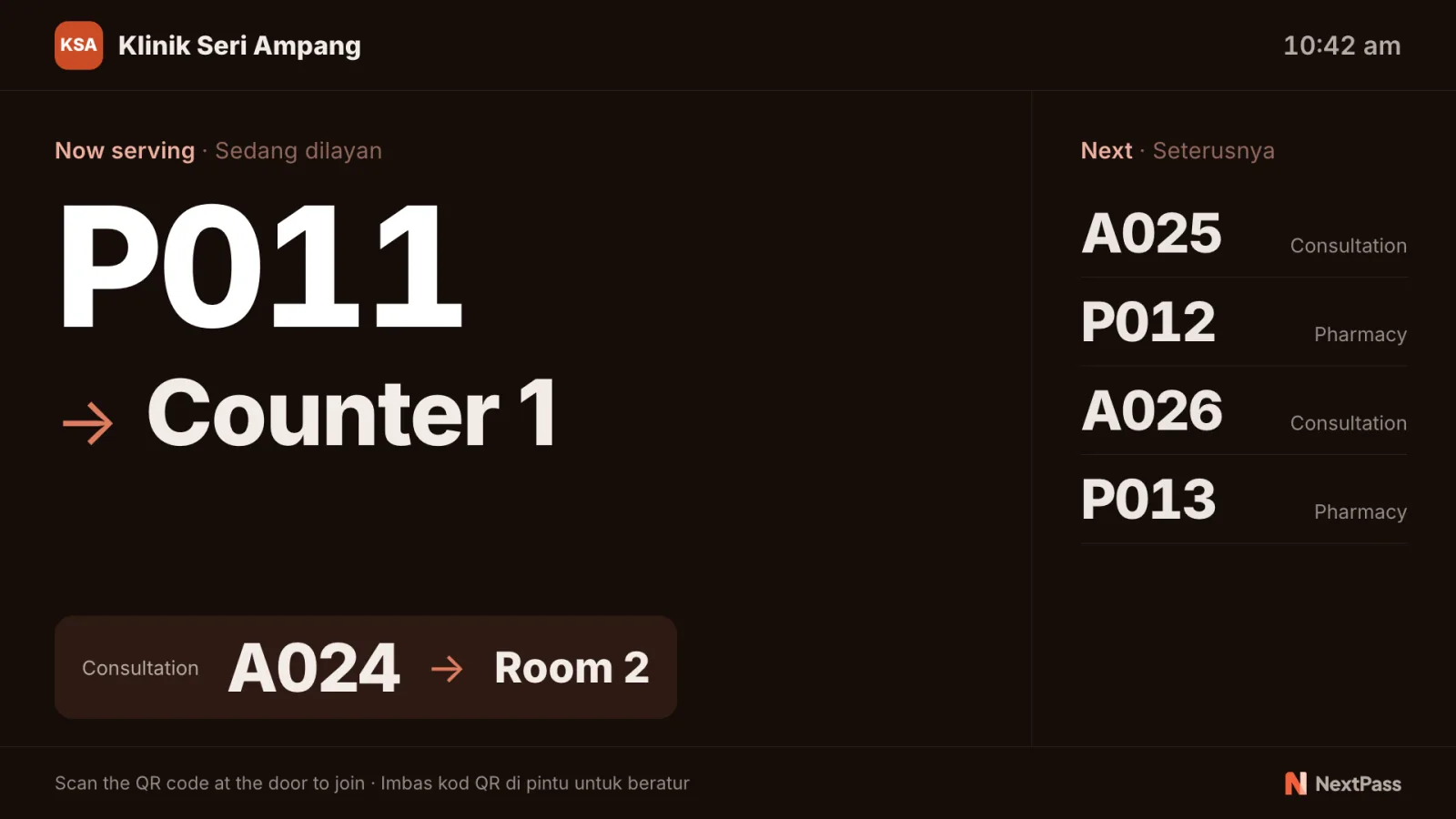
Any TV or computer browser becomes the board. It shows the number being served, the room or counter, and the next numbers, in both languages.
- Add a TV with the code it shows
- A chime with each call, if you turn it on
- Pro takes the NextPass mark off the TV
After the day
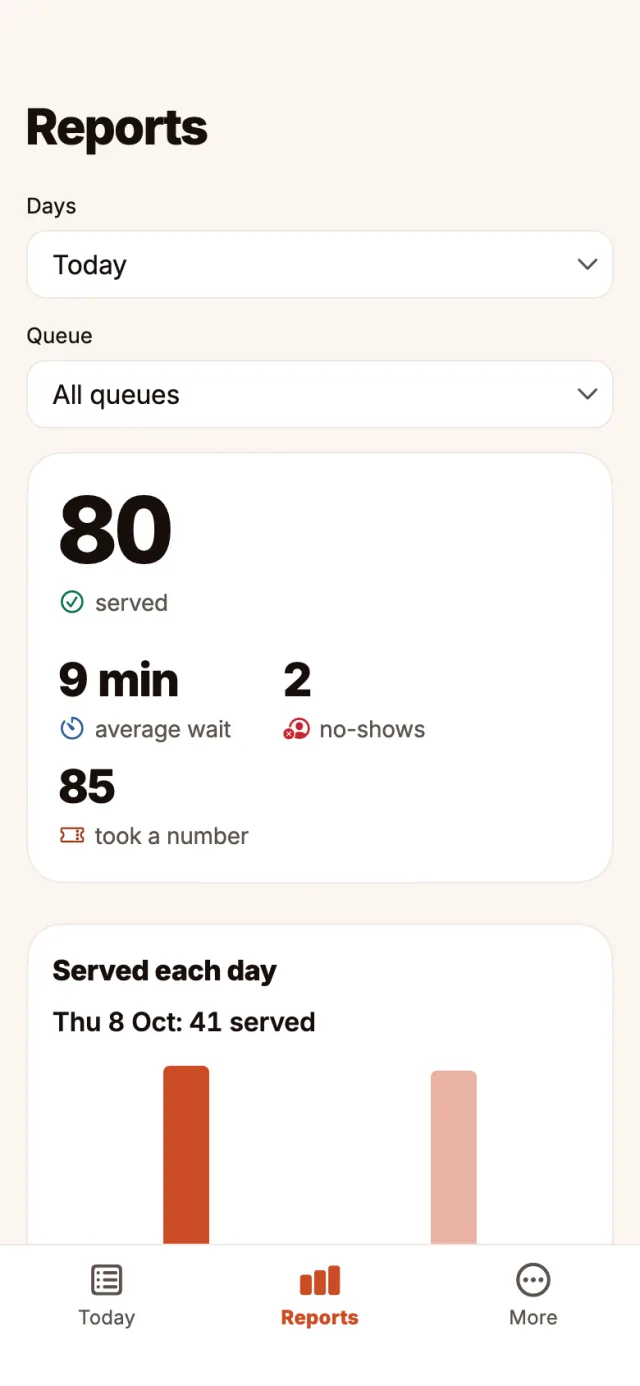
Reports count who was served, the average wait and the no-shows for each day. Today and yesterday on Free; 90 days and your busiest hours on Pro.
- A morning summary of yesterday
- Names and phone numbers deleted after 90 days
- Numbers start again from 001 every day
The full list
What NextPass does
Join with a QR code
Customers scan the poster at the door and get a number. No app to install and no sign-up.
A chime when it is their turn
The live page plays a soft sound when they are next and again when they are called.
A TV that shows who is next
Any TV or computer browser shows the number being served, the room or counter, and the next numbers.
Staff on phone, tablet or desk
Call next, Skip, Recall and Done in the app, or in the web dashboard with keyboard shortcuts.
English and Bahasa Melayu
Customers choose their language on the live page. The TV shows both.
Several queues, fresh numbers daily
A letter for each queue, and numbers start again from 001 every day at your reset time.
Reports and busiest hours
Served, average wait and no-shows for each day. Pro keeps 90 days and shows your busiest hours.
Verified phone by SMS
On Pro, a queue can ask customers to confirm their phone with a code before they join.
Numbers on screen, names kept private
The TV and the live page show numbers only. Names and phone numbers are deleted after 90 days.
Your account
Sign in the way you like, and leave whenever you want.
Sign in with your email
Create an account with your email address and a password.
Sign in with Apple or Google
One tap, and no new password to remember.
Delete your account any time
In the app at Settings > Account > Delete account. Everything in it goes with it.
Notifications
Only when something needs you.
Notifications that matter
An inbox in the app, and a notification on your phone when something needs you.
A daily summary
One notification a day with what needs you, and nothing when nothing does.
Plans
Free for one queue. Pro when you grow.
Start free
The Free plan includes 50 customers a day.
Pro when you need more
Upgrade in the app, through your app store account. Cancel any time.
Try Pro free
New subscribers get 7 days free, as the app store shows.
Try it at your counter
Free for one queue. Set it up from the app.